
Signal Example — Dot Product & Frequency Detection
Interactive demo showing the single core idea behind the Discrete Fourier Transform (DFT): multiplying a signal by a test sinusoid and summing the result.
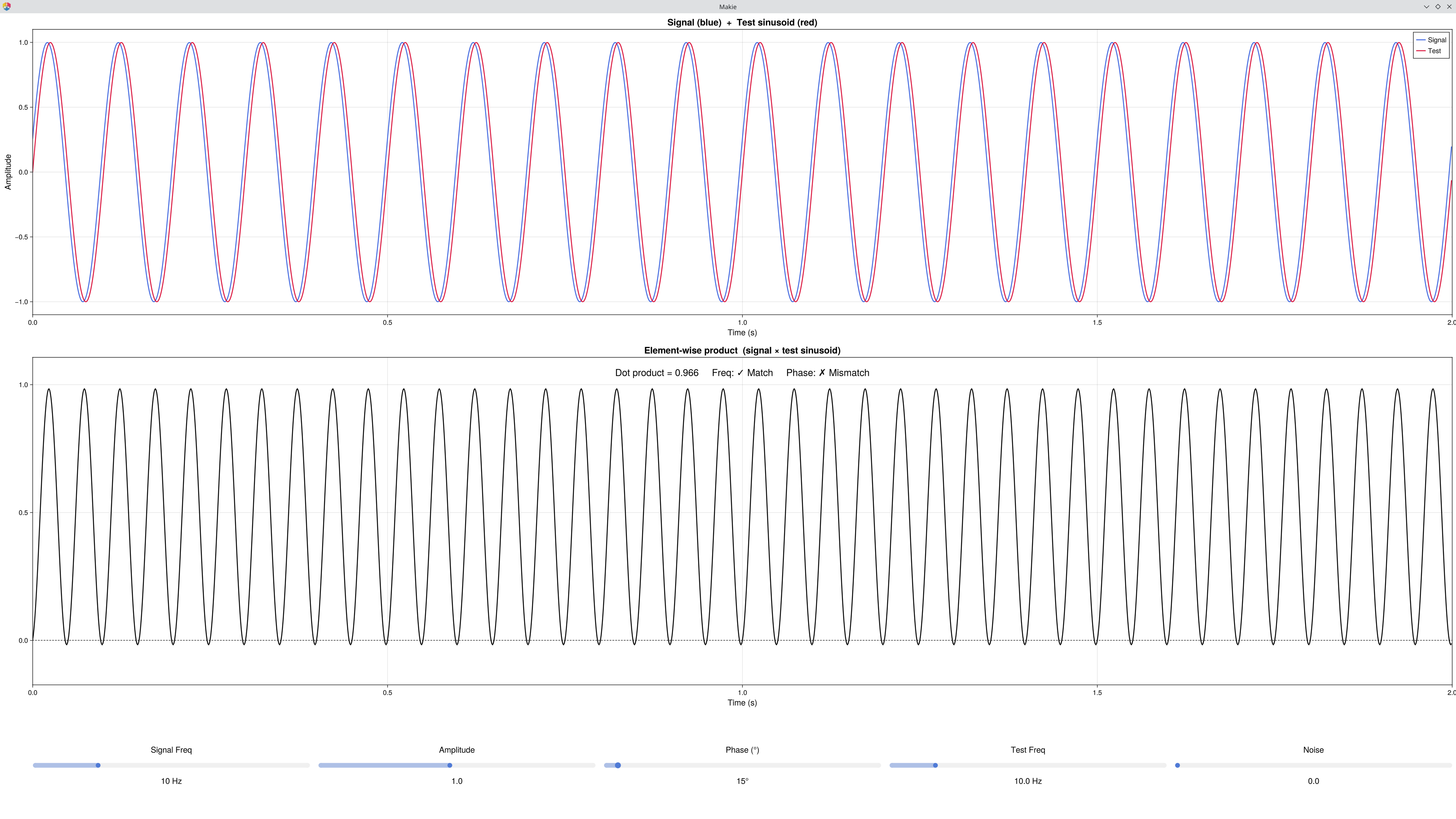
What it shows
| Row | Plot | Description |
|---|---|---|
| 1 | Signal + Test sinusoid(s) | The signal (blue) and the sine test sinusoid (red) overlaid. When Complex is on, the cosine test (green) also appears. |
| 2 | Sine product | Signal × sine test sinusoid, with the dot product value and Freq/Phase match status shown. |
| 3 | Cosine product | Signal × cosine test sinusoid (visible only when Complex is on). |
Key Concept
The dot product measures how similar two signals are — multiply them point-by-point and sum the results:
The DFT uses exactly this idea to answer "how much of frequency f is in this signal?" by setting one of the signals to a test sinusoid:
Freq match, Phase match → product is all-positive → large sum → large dot product.
Freq mismatch → product alternates +/- → cancels to near zero.
Phase mismatch (90°) → product alternates even at matching frequency → dot product ≈ 0.
Why "complex"?
The sine-only dot product is phase-sensitive — it fails when the signal and test sinusoid are 90° out of phase. The DFT solves this by computing two dot products — one with a sine and one with a cosine — and combining them into a single phase-independent measure:
The sine captures the "how much matches my phase" part. The cosine captures the "how much is 90° away" part. Together, they capture all the energy at that frequency, no matter the phase. Toggle Complex on and drag the Phase slider to see this in action.
Controls
| Control | Range | Description |
|---|---|---|
| Signal Freq | 1–40 Hz | Frequency of the signal |
| Amplitude | 0.1–2 | Signal amplitude — dot product scales proportionally |
| Phase (°) | 0–355° | Signal phase offset — try 90° at matching frequency |
| Test Freq | 0.5–60 Hz | The DFT "probe" frequency |
| Noise | 0–1 | Additive Gaussian noise |
| Complex | toggle | Add cosine probing for phase-independent magnitude |
Things to Try
Frequency match: set Signal Freq = Test Freq = 10 Hz → product all-positive, dot product ≈ amplitude.
Frequency mismatch: move Test Freq to 15 Hz → product alternates, dot product ≈ 0.
Phase sensitivity: set both frequencies to 10 Hz, then drag Phase to 90° → dot product drops to ≈ 0 even though frequencies match.
Complex to the rescue: with Phase still at 90°, toggle Complex on → the magnitude (purple) recovers to ≈ amplitude. Drag Phase anywhere — the magnitude stays constant.
Amplitude scaling: raise Amplitude to 2 → dot product doubles. The test signal is always ±1; the result reflects only the signal amplitude.
Noise: add noise → individual products become noisy but the sum (dot product) is still large at the matching frequency (averaging suppresses noise).
See Also
Signal Example — Composition — building signals from sine waves
Signal Example — Convolution — sliding the dot product across time
Cohen, M. X. (2014). Analyzing Neural Time Series Data. MIT Press. — Chapter 11
Code
using EegFun
EegFun.signal_example_dotproduct()